Ready To Manage Every Book More Clearly?
We’ll walk through your school’s requirements and show how SchoolPad’s library management software keeps book availability, issues, returns, overdue records, and fines organised and easy to track.


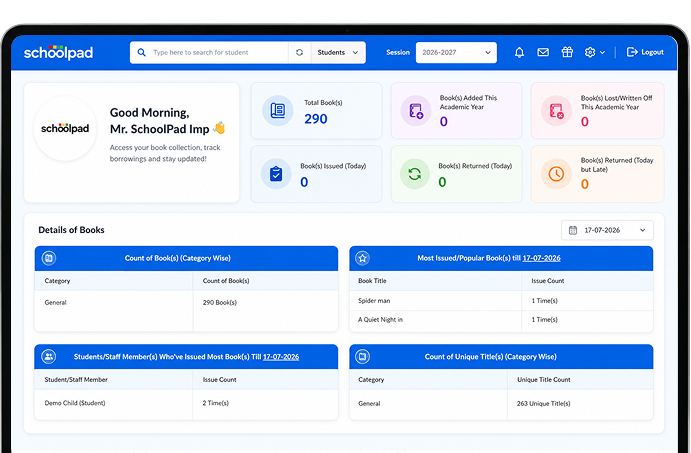
Every school library needs clear records of what is available, issued, returned, overdue, lost, or written off. SchoolPad helps your team digitise book data, manage issue and return workflows, track fines, and generate reliable library reports without depending on manual registers.

Book details remain spread across registers and spreadsheets, making stock, availability, and borrowing history difficult to manage.

When transactions are not recorded promptly, librarians struggle to see which books were issued, returned, overdue, or remain unreturned.

Without a clear view of available stock and borrowing patterns, schools struggle to identify which titles require replacement or additional copies.
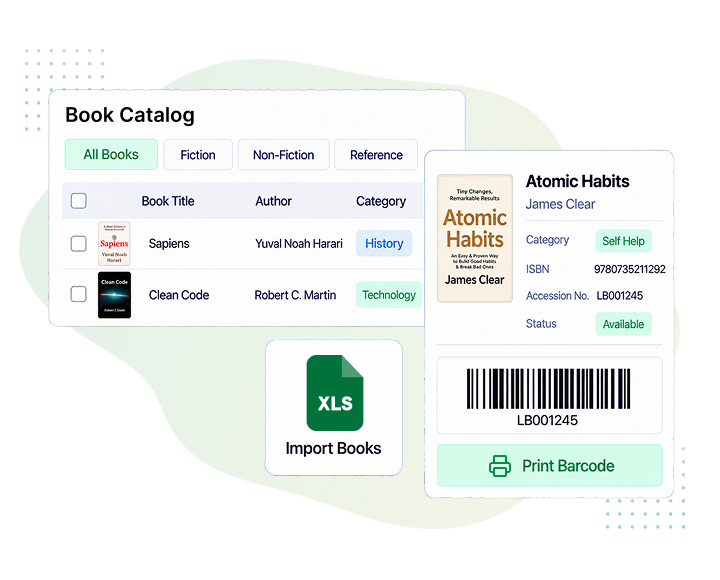
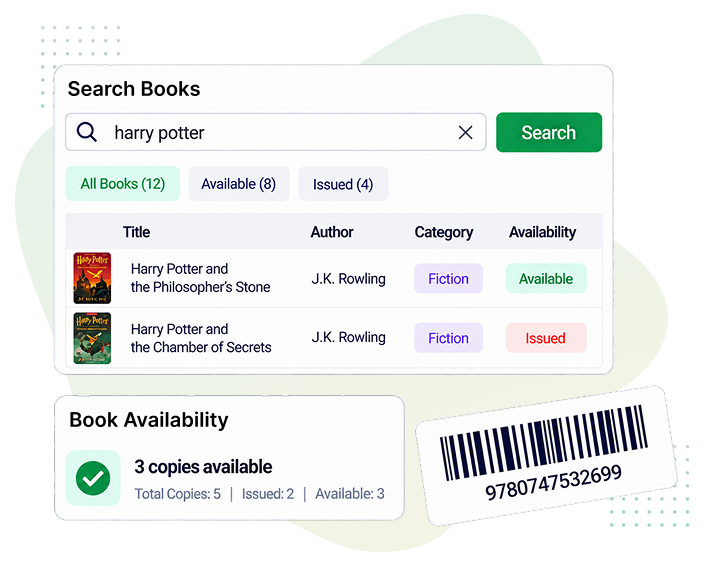
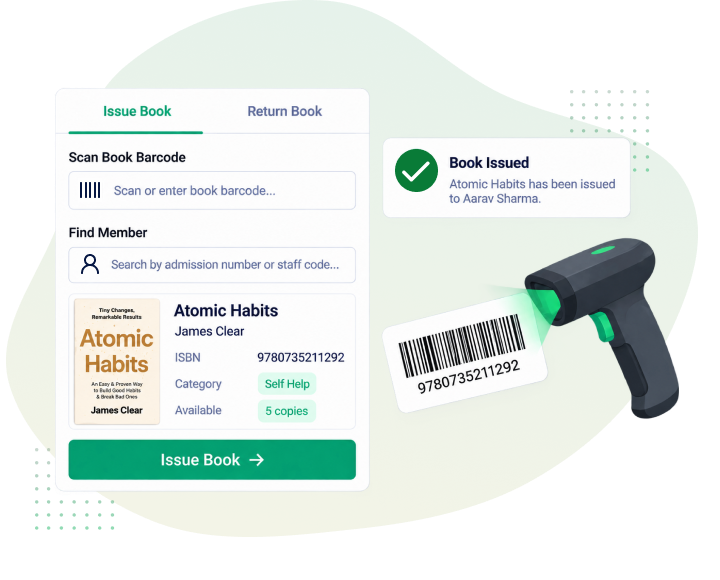
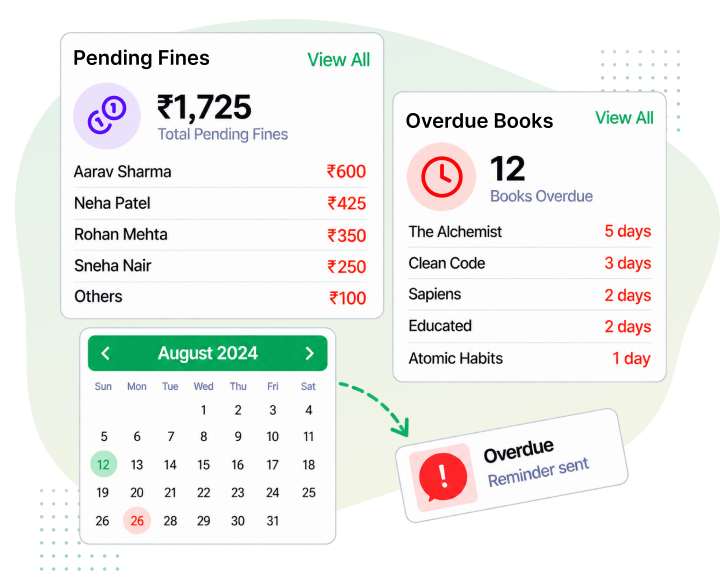
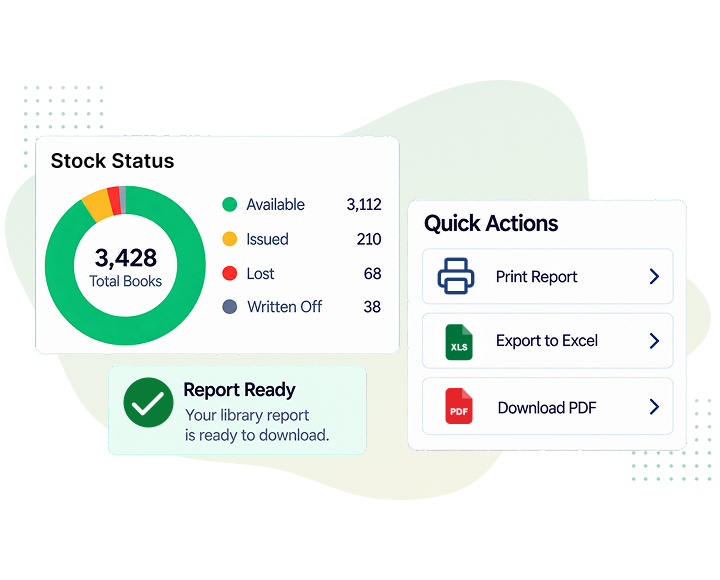
Stop relying on manual records to know where every book stands. SchoolPad brings book availability, issues, returns, fines, and stock information together for easier library management.
Librarians can process book issues and returns quickly while keeping every transaction clearly recorded.
Clear status records help teams see which books are available, issued, overdue, lost, or written off.
School leaders can review stock, borrowing patterns, popular titles, pending fines, and overdue books through clear reports.

Yes. SchoolPad allows librarians to create book categories and organise the collection accordingly, making records easier to manage and review.
Yes. Users can browse the library by title, author, keyword, ISBN, or accession number and view details such as category, publisher, year, and current availability.
Yes. SchoolPad supports book issues and returns for students as well as staff members, using admission numbers, staff codes, or book barcodes.
Yes. Librarians can generate and print barcodes for books, making daily issue and return transactions faster and easier to record.
Yes. Librarians can review pending and paid fines by student, staff member, class, book, barcode, or issue period, keeping outstanding dues clearly recorded.
Yes. Library stock reports provide visibility into available books and records marked as lost or written off, helping schools review stock and plan future purchases.
Yes. SchoolPad shows popular and frequently issued titles, along with borrowing activity across students and staff members.
Yes. Schools can apply filters, select the required report fields, arrange columns, print reports, or export them to Excel for further review.
Yes. SchoolPad connects library activity with the central ERP records, helping schools maintain a student’s book-borrowing history within their existing profile.
We’ll walk through your school’s requirements and show how SchoolPad’s library management software keeps book availability, issues, returns, overdue records, and fines organised and easy to track.